

€ 99.00

Sponsored links
|
|
€ 99.00 |
To Shop
|

|
€ 99.00 |
To Shop
|
| COMPARE ALL WEBSHOPS (2) | ||
 Description
Compare webshops (2)
Sponsored links · Some shops pay us a fee
€ 99.00
€ 99.00
Shops with other sizes
Description
(1)
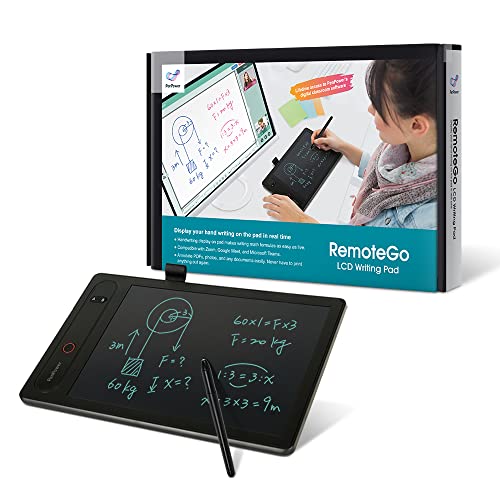
CLEAR AND FINE-LINE HANDWRITING - Write and visualize your handwriting on the LCD pad in real-time to enhance your teaching quality and bring extra productivity to remote teaching. NATIVE INTEGRATION WITH VIDEO CONFERENCING - Zoom, Google Meet, MS Teams, Webex, on both Windows and Mac DRAG AND DROP HANDWRITINGS - save your handwriting with reusable sticky notes, and “drag and drop” the handwriting anywhere such as Messenger, WhatsApp, and Skype. ANNOTATE - Annotate live on the screen with built-in brushes and highlighters on websites, digital documents, applications, videos, and any application on PC or a tablet. Annotation can also be saved using the built-in video record feature or taking a screenshot. SCREENSHOT AND EXPLAIN - Take a screenshot of a question and import it to the built-in digital whiteboard. From there, you can start annotating with the question in the background - best for math, physics, or anything that requires detailed explanation. VIDEO RECORDING - The built-in Webcam shortcut can simultaneously record your facial expression for higher engagement.
 Related results
 Product specifications


