

€ 91.46

Sponsored links
|
|
€ 91.46 |
To Shop
|
| COMPARE ALL WEBSHOPS (1) | ||
 Description
Compare webshops (1)
Sponsored links · Some shops pay us a fee
€ 91.46
Shops with other sizes
Description
(1)
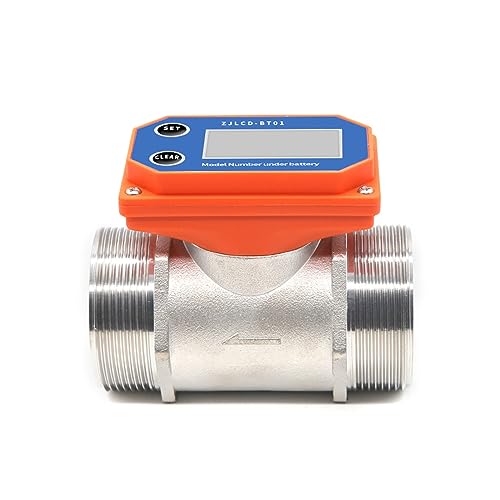
1. Clear single measurement data. In counting or standby mode, press the "Clear" button. The LCD screen will display in full screen (as shown in the figure below). Release the "Clear" button to return to the standby interface. The single count data will then be cleared. 2. Clear total measurement data: In counting or standby mode, briefly press the "SET" button to switch to the total interface, press and hold the "CLEAR" button for more than 5 seconds, the LCD screen will display in full screen, and after 5 seconds the LCD screen will automatically return to the standby interface, the total has been cleared. 3. In counting or standby mode, press the "SET" key to switch between the flow rate and total flow rate interfaces (as shown in the figure below). 4. To set the pulse count in counter or standby mode, press and hold the "SET" key for more than 5 seconds to enter the setting interface (as shown in the figure below). Press the "CLEAR" key to modify the value of the flashing number, and press the "SET" key to switch the flashing number. After setting, press and hold the "SET" key to save and exit the setting mode. Alternatively, if there is no further operation, the system will automatically save and exit the setting mode after 30 seconds. 5. To set the unit of measurement in counting or standby mode, press and hold the “SET” + “CLEAR” keys for more than 5 seconds to enter the unit setting interface. Press the “CLEAR” key to switch between L, GAL, QTS, and PTS (as shown in the figure below). After setting, press and hold the “SET” key to save and exit. Alternatively, if there is no further operation, the system will automatically save and exit the setting mode after 30 seconds.
 Related results
 Product specifications


