

€ 14.99

Sponsored links
|
|
€ 14.99 |
To Shop
|
| COMPARE ALL WEBSHOPS (1) | ||
 Description
Compare webshops (1)
Sponsored links · Some shops pay us a fee
€ 14.99
Shops with other sizes
Description
(1)
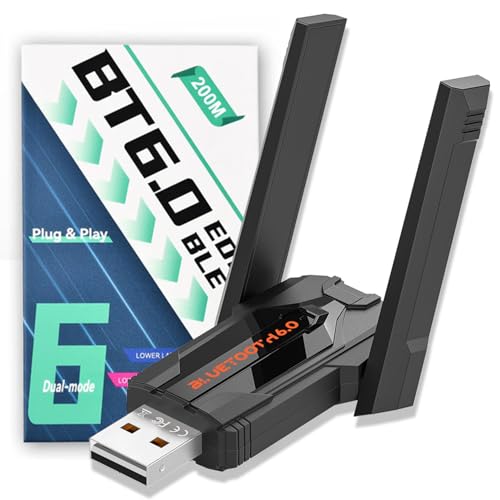
Improved Bluetooth adapter 6.0: Bluetooth stick for PC with the latest Bluetooth 6.0 + EDR, faster data rate (6 Mbit/s) and lower power consumption; the latest technology brings you a better user experience. Backwards compatible with Bluetooth 5.4/5.3/5.1. Dual mode Bluetooth transmission, reduce the loss of transmission efficiency due to interference in the 2.4GHz band, improve stability and anti-interference. Rotating antenna: Bluetooth USB antenna with high gain can rotate 90° vertically and 180° horizontally to get a better signal and maintain a stable Bluetooth connection, it can provide better transmission and reception signals from angles. 【Wide transmission range】High performance with a frequency band of 2.402 GHz - 2.4835 GHz, the transmission distance of the Bluetooth stick is up to 150 m. Obstacle shortens the range slightly. But it can fully meet your daily life needs 7 devices can be connected at the same time: the Bluetooth adapter PC ensures simultaneous connection of a maximum of 7 different types of Bluetooth devices, e.g. Bluetooth mouse/keyboard/mobile phone/headphone/PS4 controller, etc. When two audio devices (such as speakers/headphones) are connected, only one device can play music Plug and play: Windows 11/10/8.1 plug and play. Simply connect the device to your USB port and enjoy automatic setup for setup in less than a minute with Plug & Play installation! Works perfectly with Windows 10/8.1/11. Before using the product, please disable Bluetooth and then delete the previously downloaded drivers for other products. If you have built-in Bluetooth, you need to take some steps before using this dongle, as Windows has never supported more than one Bluetooth wireless adapter:Step 1. Go to Settings/"Bluetooth & Devices" and remove any devices you have already paired. Step 2. Go to Device Manager (Win+X and select "Device Manager"), then expand the "Bluetooth" section and search for the entry "Radio". Right click on it and select "Disable Device".
 Related results
 Product specifications


